Preview

See Dance Companion in 60 seconds

A quick look at how Dance Companion turns critique and rehearsal videos into clear, shareable feedback.

Find the moment

Searchable, timed transcripts jump you straight to the feedback that matters.

Share the insight

Send dancers a link that opens right where the note was given.

See patterns over time

Track recurring corrections so the same notes don't have to be repeated.

How it works

From upload to insight

A walk through the Dance Companion workflow — upload a critique, review the transcript, share the moment, and spot the patterns that help dancers grow.

Step 1 · Upload

Batch upload, tagged and organized

Drop in competition, rehearsal, or self-critique videos all at once. Tag each by level, size, and style so feedback stays grouped the way your studio thinks. Dance Companion handles transcription, summarization, and storage in the background while you keep teaching.

Upload screen with routine name, dancer, date, and tags
Processing monitor showing upload, transcribe, summarize, and save steps
Step 2 · Summarize

AI summaries, ready when you are

When processing finishes, each video arrives with a concise written summary — what the judge observed, what to work on next, and the single biggest note — so you can see the story before reading a single line of transcript.

All videos processed screen with an AI-generated summary
Step 3 · Review

Timestamped transcripts you can edit

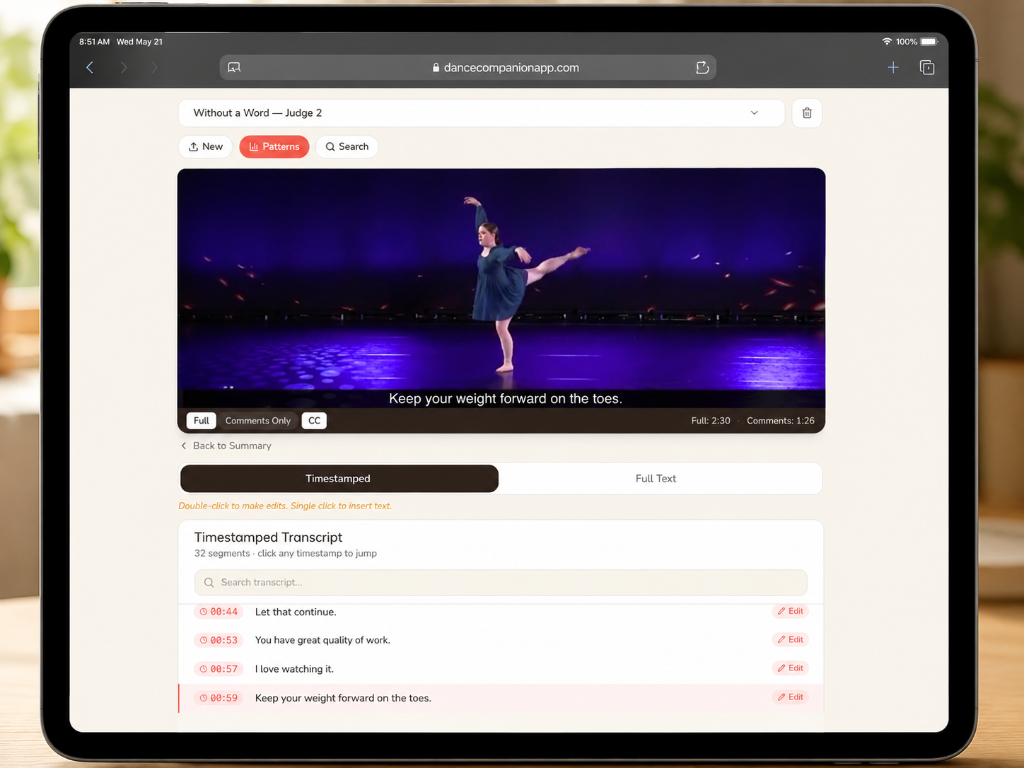
Every spoken word becomes a searchable, timestamped line. Click any timestamp to jump the video, edit the text in place, or copy a link to the exact moment. Toggle between the full transcript and a comments-only playback mode that skips the silence.

iPad view of video review with timestamped transcript
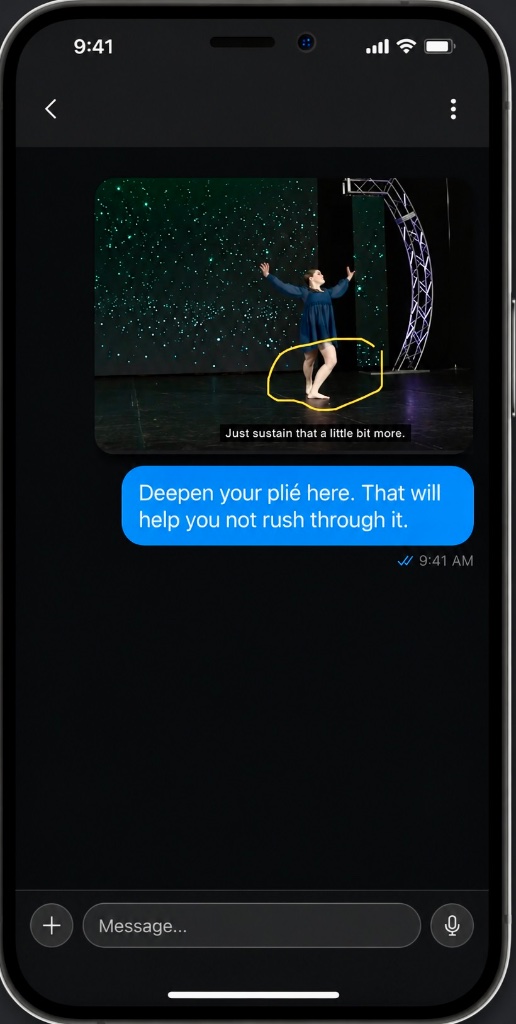
Mobile view of transcript with an annotated dancer frame
Step 4 · Share

Send the exact moment

Share a link that opens the video right where the note was given — alongside the annotated frame and the correction — straight into a dancer's or parent's messages. No more scrubbing through footage to find the feedback that matters.

Mobile message with an annotated frame and a written correction
Step 5 · Patterns

Spot recurring themes across videos

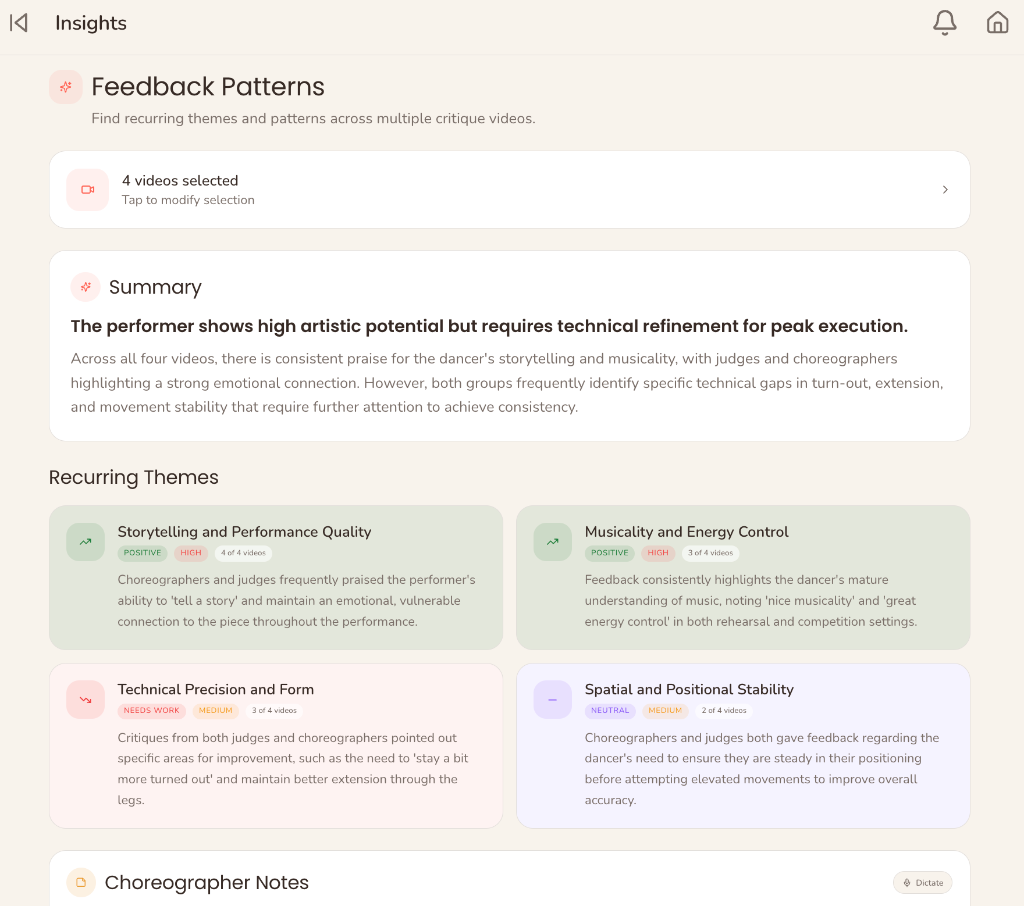
Select two or more critiques and Dance Companion surfaces the patterns — what's consistently strong, what keeps coming up as a correction, and how often — across routines, dancers, and choreographers. Insights turn one-off notes into season-long trends.

Select multiple critique videos to analyze
Feedback patterns dashboard with recurring theme cards
The whole studio

Everything in one place

Schedule, people, studio life, and analytics live side-by-side so the whole team can move between feedback, rehearsals, competitions, and costumes without losing context. Feedback Templates, Insights, and the tools your studio uses every day are all one tap away.

Dark sidebar navigation with Schedule, People, Studio Life, and Analytics sections

Help shape Dance Companion

You’ve seen a quick preview. We’d love to hear what you think.

This short survey takes about two minutes. Your feedback will help ensure Dance Companion reflects the real needs of competition dance studios, teachers, dancers, and families.